Short-form videos
Make the key phrase stand out with motion and per-character animation.
404 Tools / Plugin for Premiere Pro and After Effects
Text. Motion. Drawings.
Text + Object + Draw — three full PRO tools in one bundle.
One-time purchase · no subscription · key delivered by e-mail after payment
One tool. One clear purpose.
Three independent panels. Choose the one your edit needs.
Titles, per-character animation, templates and captions.
990 ₽ / PROExplore ↗ 02 / MOTIONObject Motion 404Scale and Position curves for video, photos and graphics.
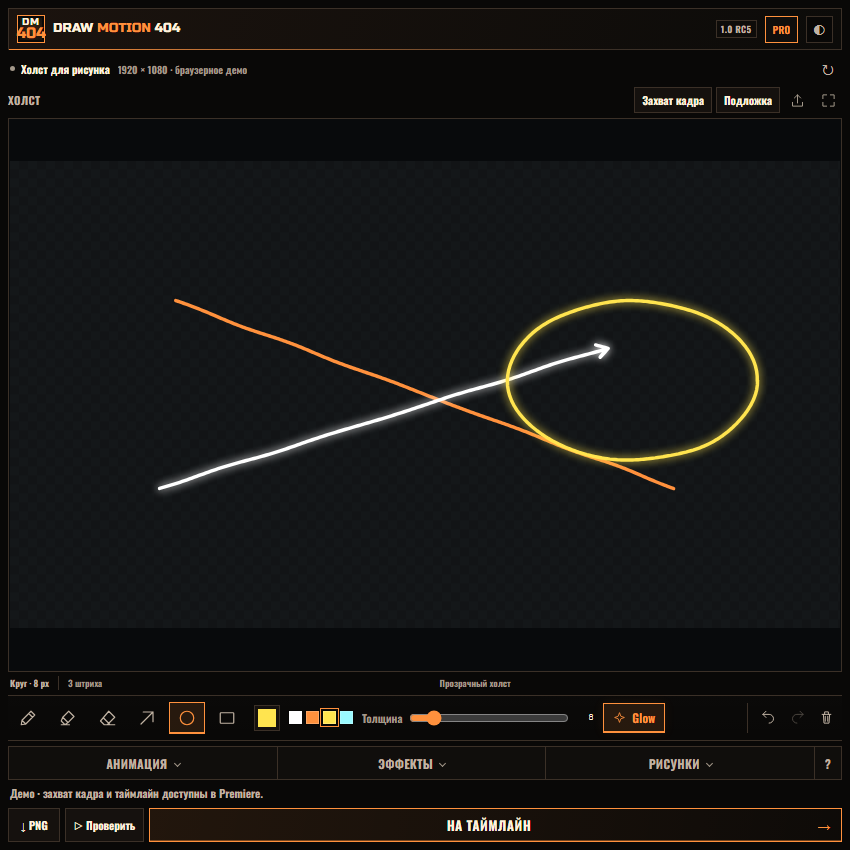
590 ₽ / PROExplore ↗ 03 / DRAW NEWDraw Motion 404Living lines, arrows and accents you draw yourself.
790 ₽ / PROExplore ↗HALLOWEEN / SPECIAL OFFER
Three PRO tools. One cohesive edit.
One payment · no subscription · three PRO licenses
Until Nov 1, 2026, 00:00 · Yekaterinburg (UTC+5)
Get all three PRO toolsEverything in one panel
Write text, create subtitles, choose animation and see the result immediately in the pinned preview.
Make the key phrase stand out with motion and per-character animation.
Turn speech into timed captions with word-by-word reveals.
Save your settings and reuse them in your next projects.
Intro and outro selection, character order, delays and offsets — from panel settings to the result in Premiere.
Soft light follows the colour of each stroke.
Live example using the plugin renderer — not a Premiere recording. Drawings export with a transparent background.
PRO includes all animations, per-character motion and smart captions.
Fade, Elastic, Blur Fade, Typewriter, Glitch, Wipe and dozens of ready-made motions.
Control every character’s entrance and exit, order, delay and variation.
Shape motion manually or use ready-made easing presets.
System fonts, faces, tracking, stroke, gradient, glass and flicker.
Add controlled glow, motion blur, shadow and background plates.
Transcribe selected speech, preserve word timing and apply polished looks with sequential word reveals.
Save settings, use rotary angle controls, folders and instant search.
Speech into text. Text into motion. Create captions with your own font, look and word reveals right in Premiere.
07speech languagesThe right words.
At the right time.
Transcribe in the spoken language. Translation is English-only; translated word timing is approximate. Imported SRT / VTT files are not translated. Install local Whisper from the plugin panel on first use: Adobe language packs are not required. The examples above illustrate styling; they are not plugin recordings.
Three simple steps
Fast in Premiere Pro and After Effects, without endless parameter hunting.
Choose a font and phrase length — speech timing is preserved automatically.
Choose a ready-made look or build your own with sliders and curves.
One click places the finished animated text in your sequence.
Try it first
Install the official plugin without a key. If it fits your workflow, unlock PRO inside the panel without reinstalling.
Not a demo video — use it in an actual Premiere Pro or After Effects project.
For regular editing: from per-character motion to consistently styled captions.
Every intro, outro, per-character animation and manual speed curves.
Smart captions, look collection, gradients, glow, shadows and glass.
Save settings as presets, organize folders and find what you need with search.
Text Motion 404 / Premiere Pro + After Effects
What you can use in your edit
Installation guide, updates for the current version and e-mail support.
Text: Premiere Pro + After Effects · Object + Draw: Premiere Pro / 2020–2026
Windows 10/11 · macOS
Three keys · each bound to its activation computer
After payment, we send three keys for Text, Object and Draw and guides to this e-mail.
Not sure it fits your workflow? Try Free in your own project — no card or key needed.
Questions about setup or purchase? Contact us ↗The essentials
Text Motion 404 1.8.0 supports Premiere Pro and After Effects 2020–2026 on Windows 10/11 and macOS.
Text Motion 404 Free includes Fade Up, Elastic and Typewriter, live preview, manual motion controls and timeline creation. The same installer unlocks PRO after key activation.
No. The plugin creates a ready-to-use Premiere Pro clip or After Effects layer without MOGRT.
Yes. Settings from the selected Text Motion layer load automatically. You can also apply animation to existing Premiere Pro or After Effects text without recreating it.
After payment confirmation, the download link, license key and installation guide are sent to your e-mail.
Russian customers can pay through YooKassa. International customers can use secure USD checkout through Lava.top.
The license and download link are delivered automatically. A receipt is sent separately when required by the selected payment method.
Text Motion 404 / Halloween Edition
Compact and horizontal layouts, faster caption and per-character animation preparation. Translate Russian speech directly into English captions with local Whisper.
One canvas. Six tools. Your own motion character.